What it does
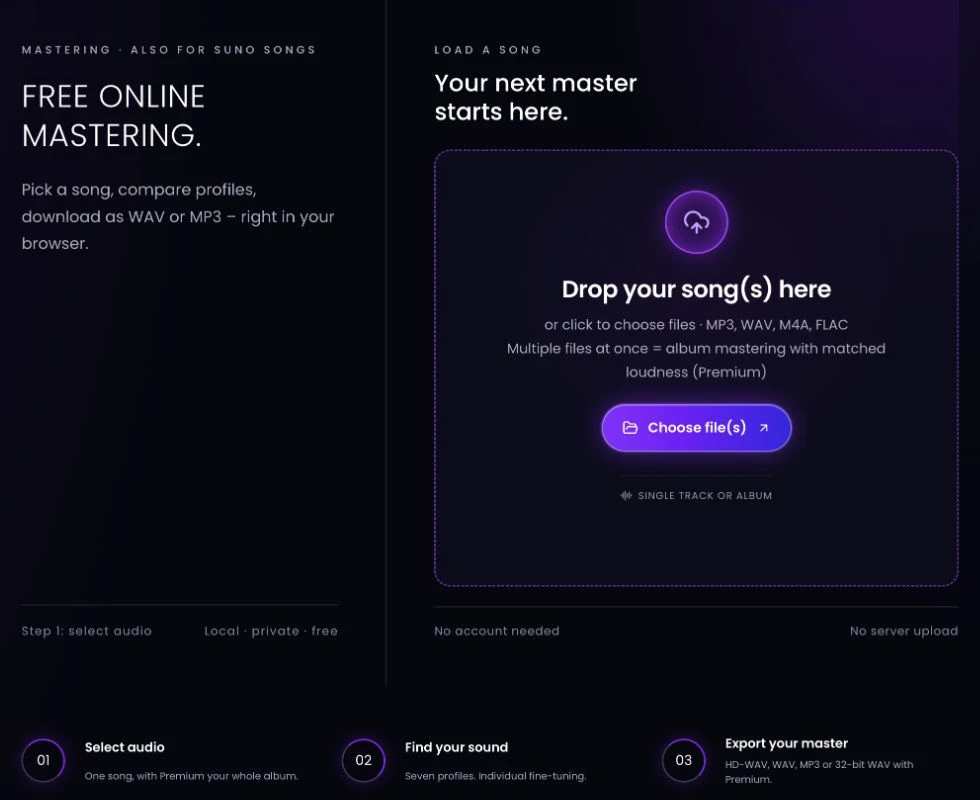
Calrogk Online Mastering is a browser-based tool for preparing finished mixes with mastering profiles, manual controls and WAV or MP3 export. Single-track mastering works without an account, and Calrogk says the audio is processed on your device rather than uploaded to a server.
Shape a finished mix
Load a track, compare seven suggested profiles, then adjust the result before downloading. The tool is aimed at musicians preparing their own releases, including songs made with AI music generators. You can start with a profile and fine-tune it instead of accepting one fixed output.
- Adjust tonal balance with a six-band EQ.
- Change compression, transient punch and stereo width.
- Fold bass to mono and set loudness and limiter controls.
- Switch between the original and mastered versions for comparison.
- Trim silence and add a fade-out before export.
- Download a WAV or MP3 master.
Files and browser setup
The file picker accepts MP3, WAV, M4A, AAC, FLAC and OGG. Processing uses the browser's Web Audio API, so file decoding and performance depend on the browser and device. Calrogk also offers an installable web-app shortcut that opens the tool in its own window.
Free and Premium features
Single songs can be mastered one at a time for free, without registration. The free site displays advertising. Premium removes ads and adds album processing with matched loudness, 32-bit float WAV export, project saving and additional processing controls. Premium is available through monthly or annual subscriptions, or a one-time purchase.
Before exporting
Compare at similar playback levels so a louder result does not obscure changes to the mix. Check the exported file against your intended delivery requirements. Calrogk also offers processing for artifacts in AI-generated audio, but its effectiveness depends on the recording and has not been independently tested for this listing.
Alternatives to Calrogk Online Mastering
- LANDR offers online mastering with reference-track and album workflows. Consider it when you want to guide a master with another recording. Master downloads require payment.
- BandLab offers a separate mastering tool with four free presets. It is another option for comparing preset-based masters, particularly if you already use BandLab for recording and sharing music.
Screenshot