
What it does
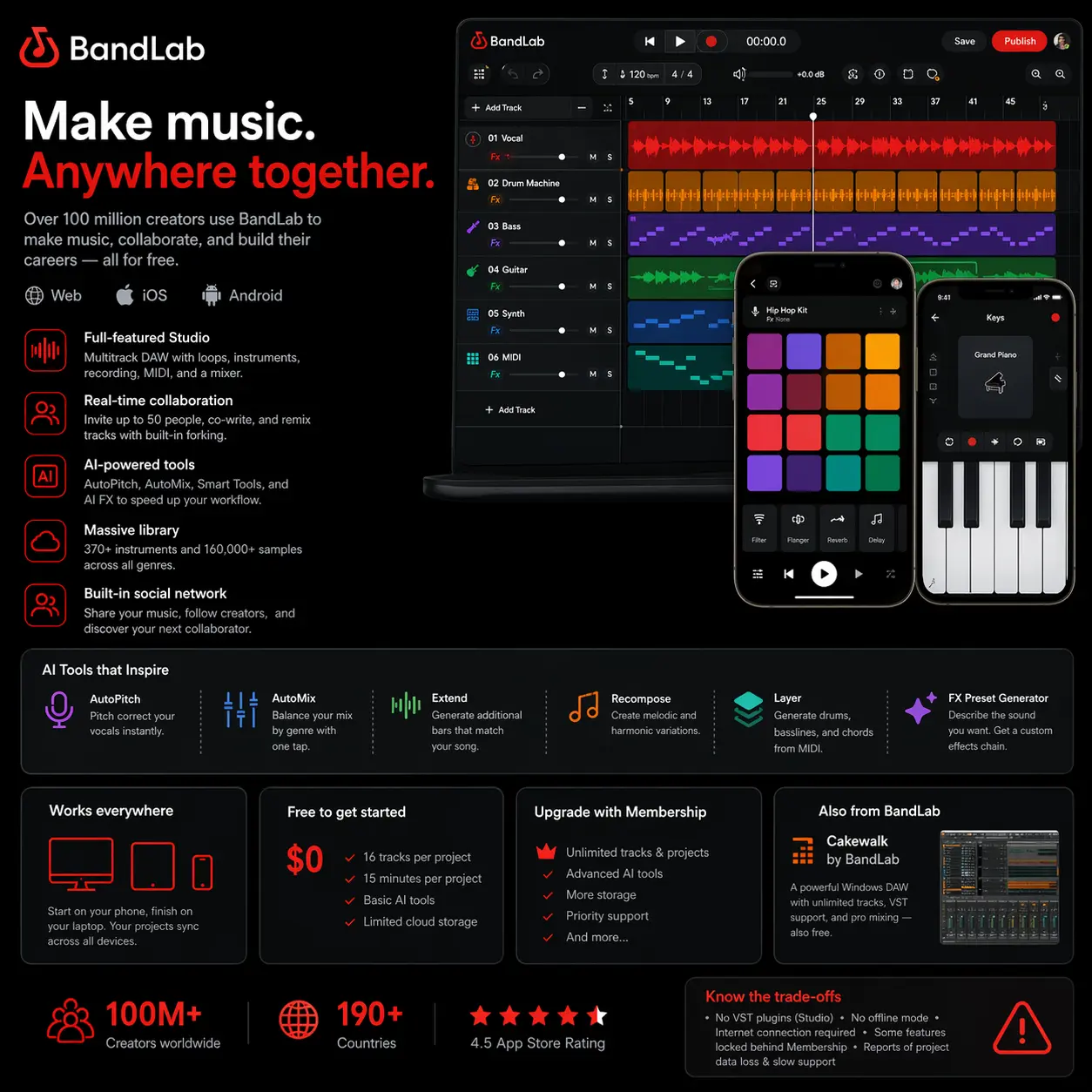
Over 100 million people have signed up to BandLab, which makes it one of the largest music creation platforms on the planet. The pitch is simple: a fully functional DAW that runs in your browser and on your phone, completely free, with built-in collaboration tools and a social layer that lets you share, remix, and co-write with anyone.
The Studio sits at the centre of the experience. It is a multitrack editor that works across iOS, Android, and the web, with a loop-based arrangement view, a beat pad for mobile, an onscreen keyboard, and a mixer. Over 370 instruments and 160,000 samples are included, spanning drums, keys, synths, guitars, and orchestral content. Recording works over your device microphone or through an audio interface. The library is genuinely large for a free tool, and the range of genre-specific loop packs from named producers gives it more credibility than the generic content you get from comparable apps.
AI is increasingly central to what BandLab offers. AutoPitch handles vocal tuning. AutoMix balances your mix by genre with one tap. Smart Tools include Extend (generate additional bars that match your composition), Recompose (create melodic and harmonic variations), and Layer (generate drum patterns, basslines, and chord parts from a MIDI input). An FX Preset Generator takes a text prompt and builds an effects chain. Most of these are behind the Membership paywall rather than the free tier.
The collaboration model is a genuine differentiator. You can invite up to 50 people to a project, and a forking system lets anyone remix your track and publish their own version, with attribution intact. It is a discovery mechanism as much as a collaboration tool, and for bedroom producers looking for co-writers or vocalists it is more useful than it might sound.
There are real trade-offs. The free tier caps projects at 16 tracks and 15 minutes. No VST plugins are supported — you are limited to BandLab's built-in instruments and effects. The platform has no offline mode; everything requires a live connection. Since mid-2024, a meaningful portion of the feature set has moved behind the Membership subscription, and long-term users have noticed. Project data loss has been reported, and customer support response times are slow.
Cakewalk by BandLab is a separate product worth mentioning: a full Windows-only DAW with unlimited tracks, VST support, and professional-grade mixing, also free. It is a different tool aimed at a different user, but it is part of the same ecosystem.
BandLab proper is best understood as the most capable free option for mobile music creation and collaborative songwriting. For anyone stepping into production for the first time, or working on a phone or tablet, nothing else at zero cost comes close. For producers who have outgrown the built-in instruments and need VST access, it quickly hits a ceiling.
Pros and Cons
BandLab: Pros and Cons
| Pros | Cons |
|---|---|
| Price: Core DAW is free; no paywall to start |
Features moving: More tools shifted to paid since mid-2024 |
| Mobile: Full DAW on iOS and Android; sync across all devices |
No VST support: Locked to built-in instruments and effects |
| Library: 160,000+ samples; 370+ instruments free |
No offline mode: Requires constant internet connection |
| Collaboration: 50-person projects; forking and remixing |
Track limits: 16 tracks (free); 15-min project cap |
Features
- Multitrack DAW in the browser, iOS, Android, and desktop apps
- 370+ instruments and 160,000+ royalty-free samples and loops
- Beat pad, onscreen keyboard, and audio recording on mobile
- AutoPitch vocal tuning and Voice Changer (15 AI styles)
- AutoMix: one-tap genre-based mix balancing
- Smart Tools: Extend, Recompose, and Layer for AI-assisted composition
- FX Preset Generator: describe a sound, get an effects chain
- Up to 50 collaborators per project with version history
- Forking: remix others' tracks and publish your own version
- Free AI-powered mastering service
- Music distribution to streaming platforms with 100% earnings (paid)
- Cakewalk by BandLab: separate free Windows DAW with full VST support