
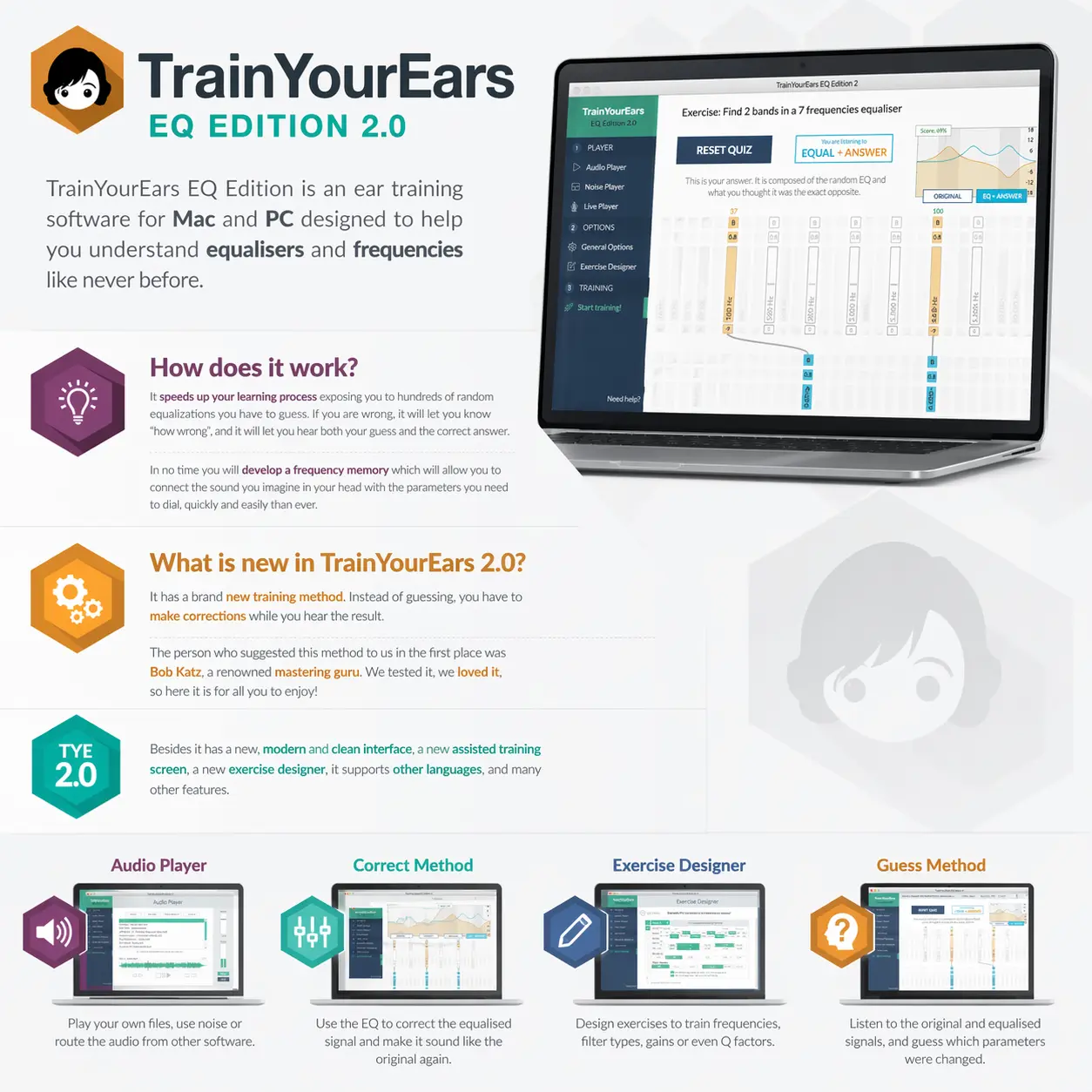
What it does
TrainYourEars EQ Edition is a desktop ear-training app for producers, sound engineers and audio students who want to recognise EQ changes by listening. It applies random equalisation to music or noise, then asks you either to identify the settings or to correct the sound back towards the original.
Two ways to train EQ decisions
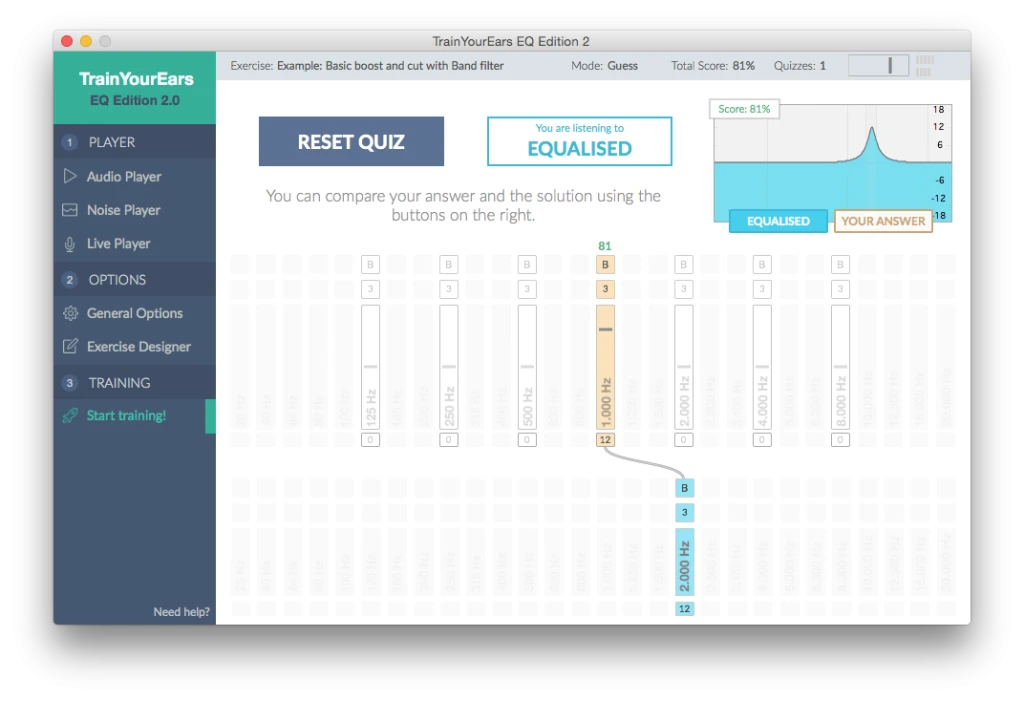
In Guess mode, you compare the original and equalised signals, enter the settings you think changed, then check the solution. The feedback lets you hear your answer alongside the actual EQ change and see how close you were.
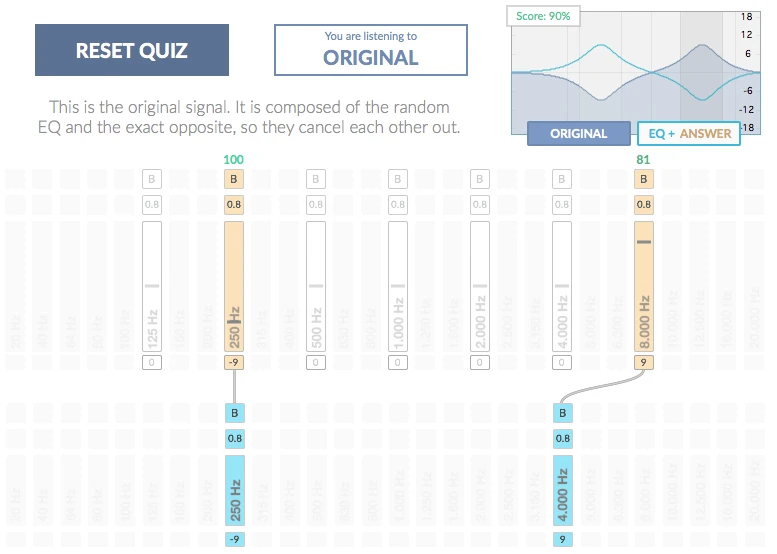
Correct mode changes the task. You hear the original first, then adjust an EQ to undo the random change while listening. Once the quiz starts, you cannot replay the original, so you have to remember its sound. This gives you practice making an EQ decision as well as recognising one.
Useful features
- Train with your own audio files, including complete songs or individual instrument recordings.
- Use the built-in pink and white noise generators for simpler listening exercises.
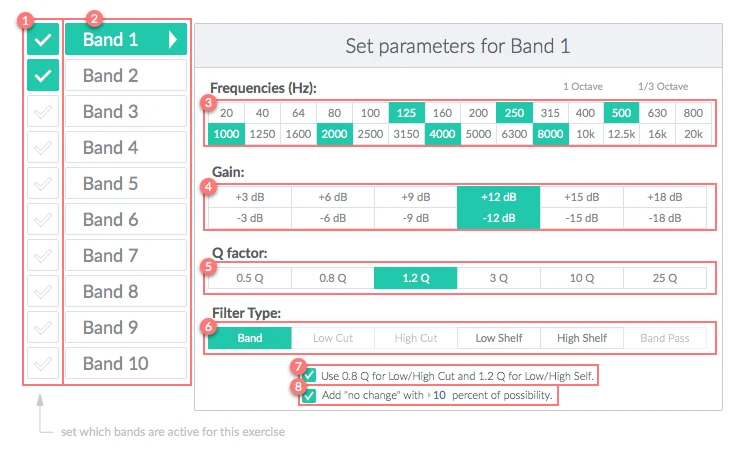
- Configure frequencies, boosts and cuts, filter types, bandwidth (Q) and the number of active bands in the exercise editor.
- Add a possible no-change result so every question does not automatically imply an EQ adjustment.
- Review answer and solution curves, listen to their differences and track quiz scores.
- Route another application or an external audio source through Live Player. Internal routing needs additional setup, such as BlackHole on macOS or VB-CABLE on Windows.
You can start with fewer bands and a small set of possible changes, then make the exercise more demanding. The scope is technical listening for equalisation, rather than a course in musical intervals, sight-singing or compression.
Compatibility and licensing
The current support page lists macOS 10.15 or later on Intel or M1 Macs, Windows 10 or later, and 8 GB RAM. Check the latest installer and support guidance for your particular computer. Headphones can be used for training.
An internet connection is needed for initial activation. The developer says the software can then run offline. The standard licence allows activation on two computers, provided they are not used at the same time.
TrainYourEars is a one-time purchase with a lifetime licence. The developer currently offers no demo and no mobile version, so review its videos and screenshots before buying.
Screenshots
Developer-provided documentation screenshots showing EQ-band setup, Guess-mode answer checking and Correct-mode feedback.
Alternatives to TrainYourEars
These links go to the products' official websites.
- SoundGym: For online frequency and EQ practice alongside a wider technical-listening routine. Its exercises also cover compression, panning and space, which suits producers who want to practise more than EQ.
- Quiztones: For frequency, EQ and gain quizzes on iPhone or Mac. Consider it when mobile practice matters, or when you prefer identifying changes in tones and loops through short quizzes.