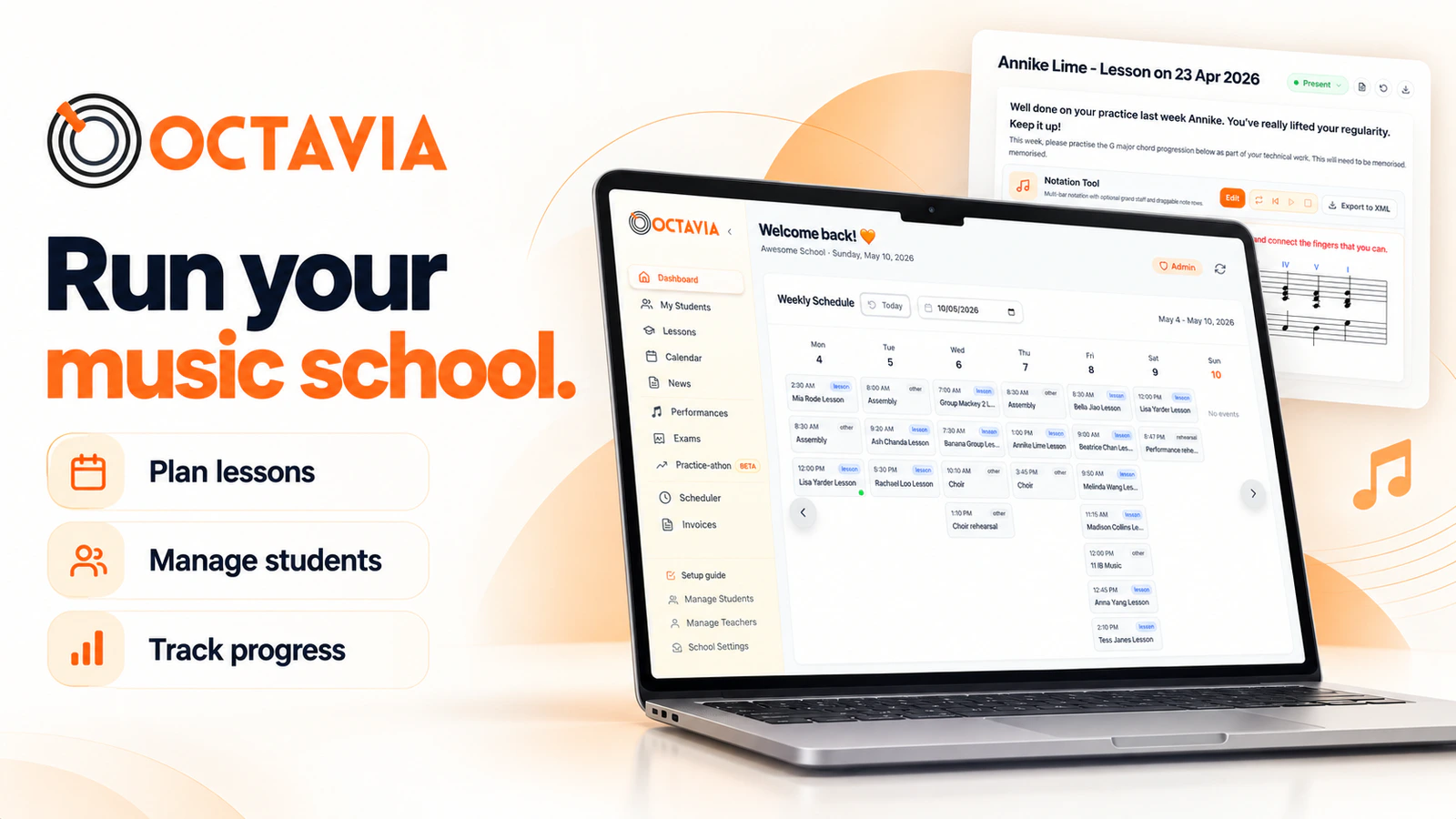
What it does
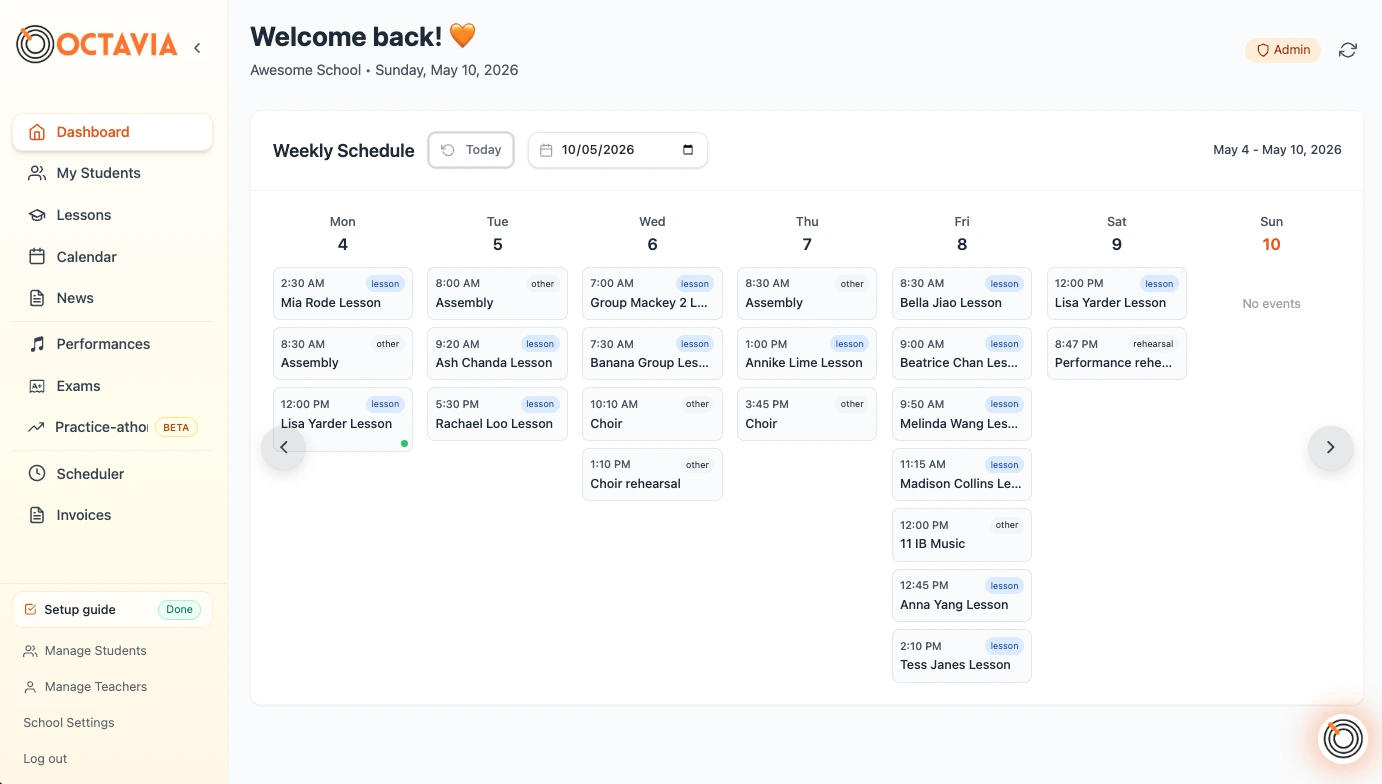
Octavia is browser-based music studio management software for independent teachers and multi-teacher studios. It brings lesson schedules, attendance, notes and invoices together, with paid plans adding family access, embedded teaching tools and practice tracking that students can use between lessons.
Teaching and studio administration
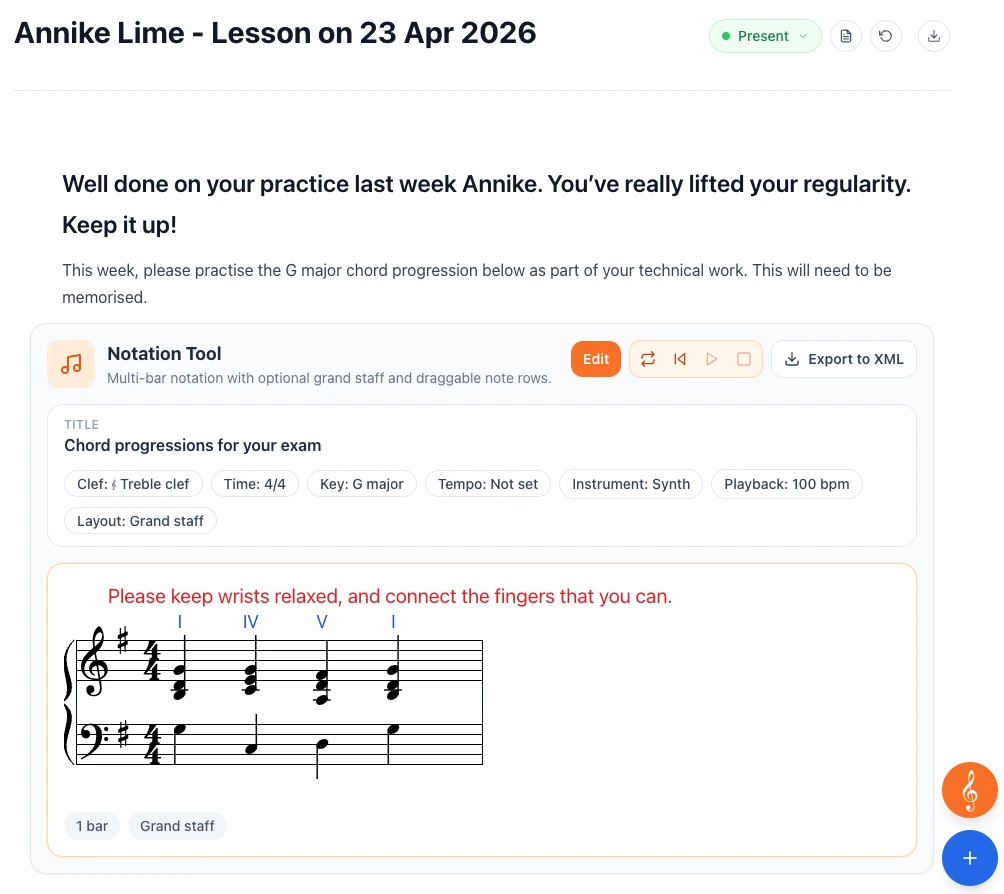
You can keep a student's lesson records alongside the work you want them to practise. The lesson-note editor supports rich text and, on paid plans, tools such as audio recording, notation and aural exercises. For example, a teacher can put a recorded demonstration and a notated exercise beside the written instructions for the week.
Families on supported plans can open the Family Hub to see shared notes, lesson information and teaching resources. Students can log practice, while teachers can use achievements and optional leaderboards to support practice routines.
Useful features
- Keep attendance and lesson notes attached to individual students.
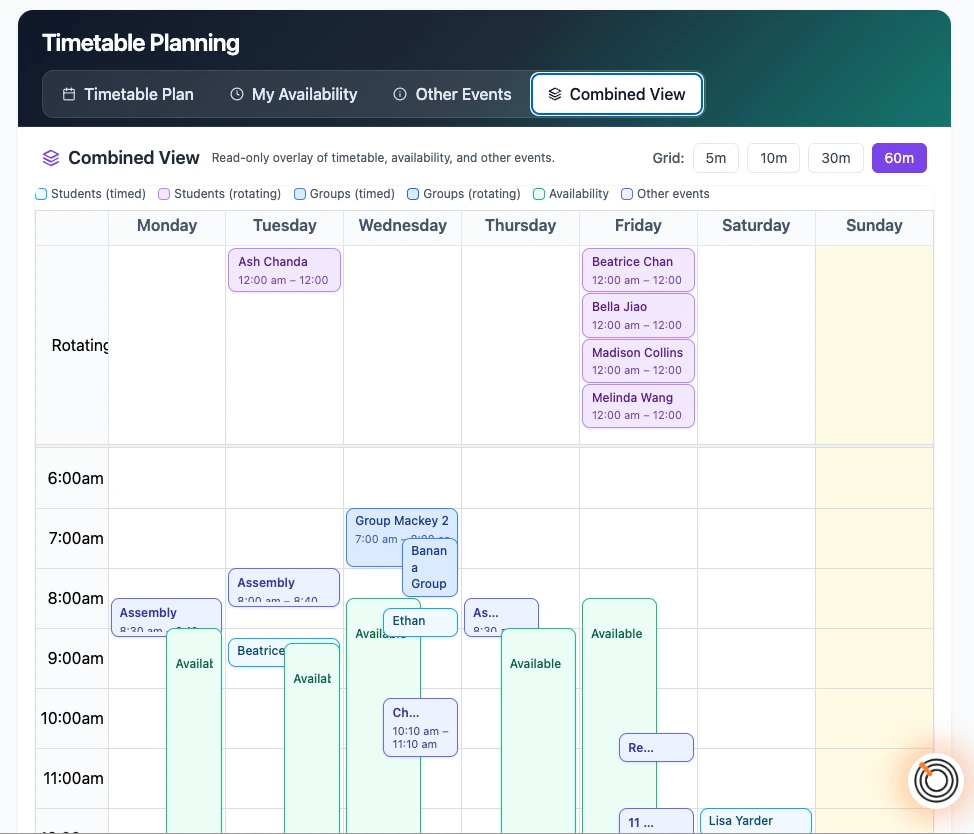
- Use per-student scheduling on the free plan, or bulk scheduling and fixed or rotating timetables on paid plans.
- Add recordings, notation, a metronome and other teaching tools to lesson notes, subject to plan limits.
- Reuse files, recordings and YouTube links through My Library on paid plans.
- Create basic invoices for free, with bulk invoicing and connected Stripe payments available on paid plans.
- Send announcements with responses such as RSVPs or consent, and track which families have replied.
- Manage shared student records, substitute teachers, rooms and multiple locations with the Studio plan.
Access and setup
Octavia runs through its website. Parents access their lesson information in a browser without downloading an app. The lesson-note editor opens in a separate tab at notes.octavia.studio. Teachers need an account, and online family payments require connecting a Stripe account.
Free-plan limits and paid access
The Free Forever plan includes unlimited students and lesson records, attendance, per-student scheduling, basic invoicing, a metronome and a basic practice tracker. Lesson notes are archived after three months.
Pro Teacher adds unlimited lesson-note history, family sharing, advanced teaching tools, bulk administration and a resource library with included storage. Studio adds team and room management. Paid plans are billed annually, and extra storage and studio branding can add to the cost. Accounts receive a 30-day Pro trial and then continue on the free plan unless upgraded.
Screenshots
Official product images supplied by Octavia. These illustrate the interface and do not represent hands-on testing by MusicianStack.