

What it does
Metro X combines a visual metronome, instrument tuner, PDF score reader and piano play-alongs in one practice app. Its distinctive ORB pulses over the score while you play, and Sync rooms can put several phones, tablets, watches and browsers on the same beat for lessons, rehearsals and ensemble practice.
Practice without changing apps
- Beat: Set tempos from 50 to 600 BPM, add subdivisions and an accented downbeat, tap a tempo or use spoken counts. The ORB can float over a score so you can follow the beat without looking away from the music.
- Tune: The chromatic tuner displays pitch to 0.1 cent, supports adjustable Concert A from 410 to 480 Hz and covers strings, guitars, keyboards, voice and transposing instruments.
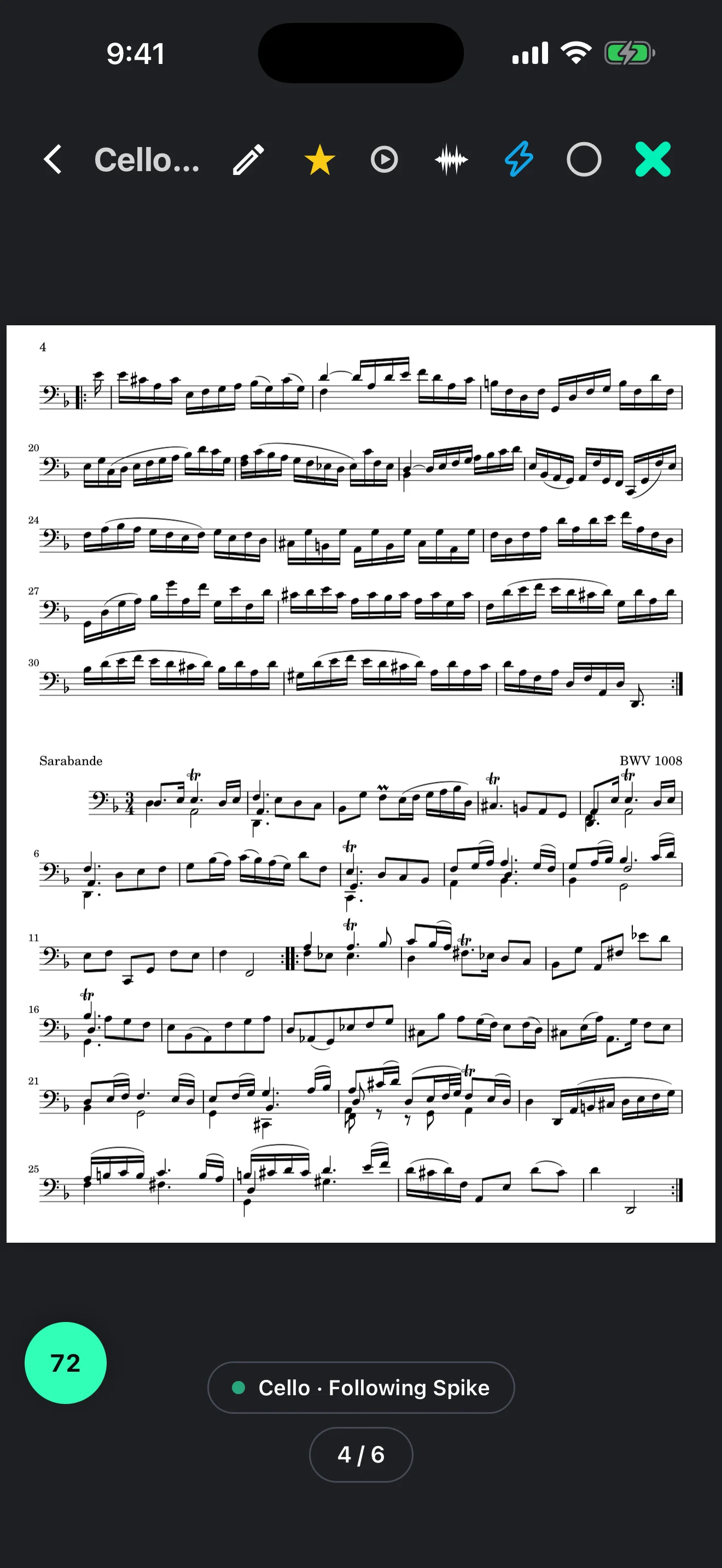
- Note: Import or scan PDF scores, search public-domain music from IMSLP, annotate with a finger or stylus and turn pages with a compatible Bluetooth pedal.
- Play: Practise with piano accompaniments, loop difficult bars, change the playback tempo without changing pitch and build the speed over repeated passes. Pro users can also bring in recordings, MIDI and MusicXML files.
- Sync: A host can keep several devices on the same tempo and meter. Rooms can work over the internet, local Wi-Fi, a phone hotspot or Bluetooth. Larger rooms and section page turns require Pro.
- Voice Command: Tempo, meter, tuner settings, page turns, score searches and playback can be controlled by voice in 15 supported languages.
Platforms and setup
Metro X runs on iPhone and iPad with iOS or iPadOS 15.1 or later, Apple Watch with watchOS 10 or later, Android 8.0 or later, and current web browsers. The metronome and tuner work offline. You can use the basic app without an account, but an account is required for library sync, presets, annotations, Sync rooms, cloud imports and Pro access.
Free and Pro
The free version has no ads and includes the metronome, tuner, unlimited PDF imports and scans, IMSLP access, Voice Command, the Apple Watch app, hosting Sync rooms for up to three devices and a limited selection of piano accompaniments. Metro X Pro adds unlimited score markings, the complete accompaniment library, larger Sync rooms, cloud backup and import, extra tuning options, sound packs and other customisation. Pro is available as a subscription or a one-time lifetime purchase.
Limitations and privacy notes
The score reader imports PDFs rather than editable notation files. Free users can mark up three scores, and the free Play library has daily limits. Hosting four or more devices, section-based page turning and using your own audio, MIDI or MusicXML in Play require Pro. Metro X says tuner audio is analysed on the device and is not recorded. Its privacy policy also states that an imported PDF is sent once through its server to OpenAI to read the title, composer and page count.
Alternatives to Metro X
forScore is the closer choice when PDF score organisation, annotation and page-turn control matter more than cross-platform rehearsal. It also includes visible and audible metronomes, pitch tools and a tuner, with an Apple-focused workflow.
The Metronome by Soundbrenner puts more emphasis on metronome practice, setlists, a tuner, practice tracking, Ableton Link and Soundbrenner wearables. It suits musicians who want timing and practice data rather than Metro X's score-reading and accompaniment workflow.