What it does
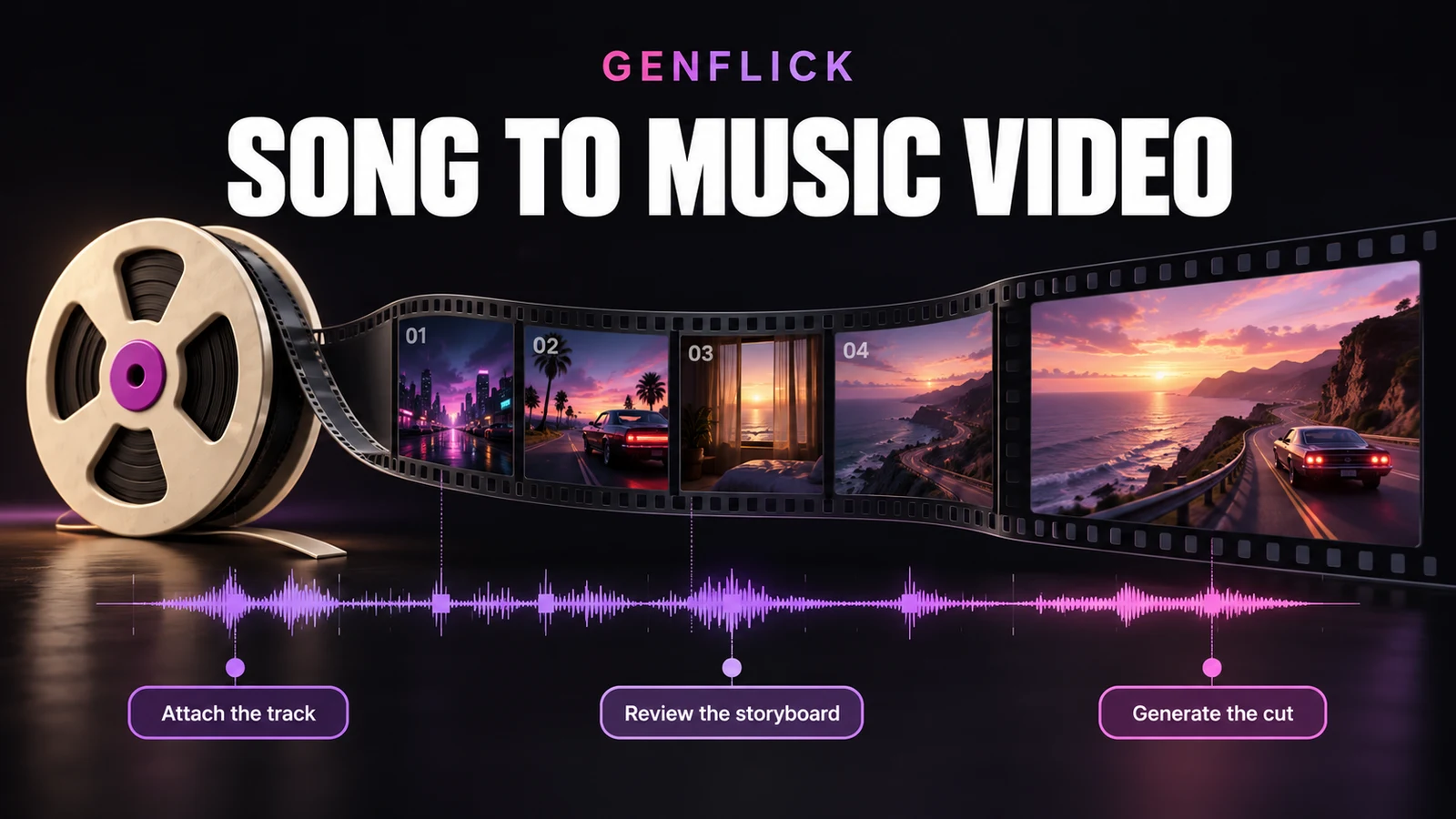
Genflick Song to Music Video turns a finished recording into a storyboarded AI video project. Add the song, describe the visual idea and supply optional lyrics or timestamps. The draft then opens in Genflick’s Storyboard Generator, where you can review the proposed scenes before spending credits on video generation.
This is for musicians who already have the audio. Genflick keeps that recording as the soundtrack rather than generating a replacement song, and the attached file determines the project length.
From a visual brief to a finished cut
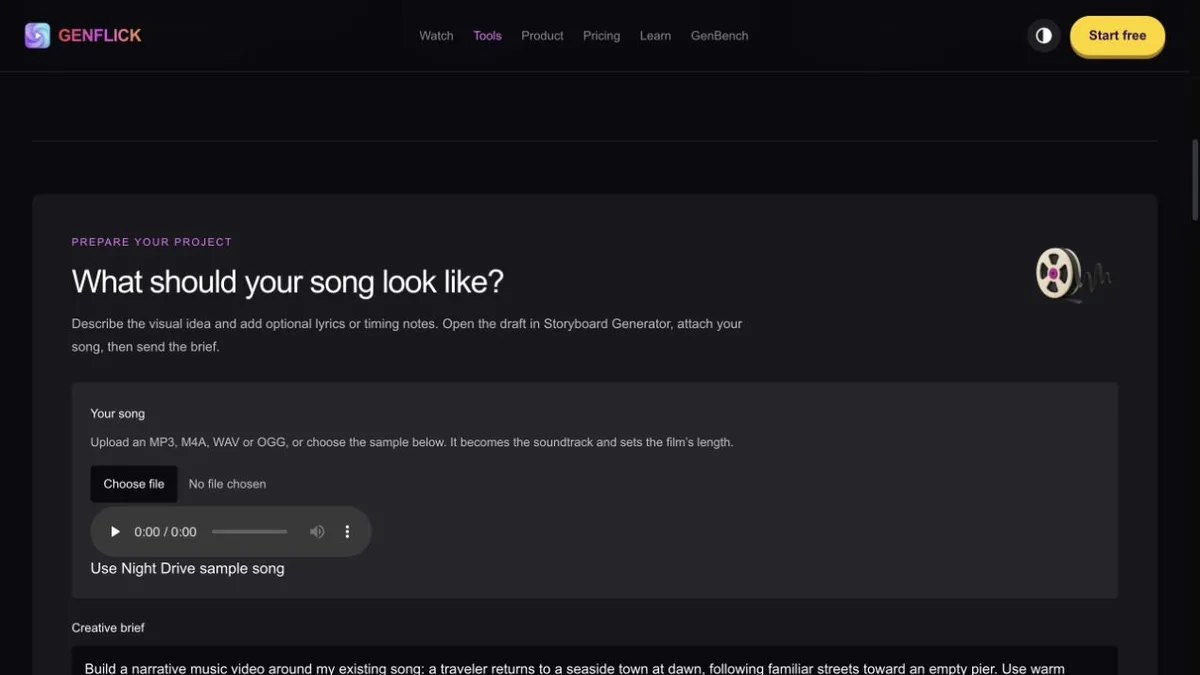
The public tool page asks for a creative brief, music style, target duration and landscape or portrait format. You can choose an MP3, M4A, WAV or OGG file, or use Genflick’s sample track. The selected audio stays in the browser and is attached when Storyboard Generator opens.
- Describe a narrative, montage or performance-led idea and identify any recurring characters, places or visual motifs.
- Add known timestamps for the vocal entrance, verses, chorus, instrumental sections, energy changes or ending.
- Review the proposed references and scenes against the actual recording before generating the full sequence.
- Test a representative scene first when the video depends on a recognisable person, consistent wardrobe or difficult action.
- Check transitions, soundtrack continuity and the final sound after the complete cut has been assembled.
The target-duration field does not trim the source recording. Prepare the exact excerpt beforehand if the release clip should use only part of a longer song.
What it can make
Genflick presents the tool for narrative videos, atmospheric montages and combinations of story and performance. A visible singer is optional. If mouth movement is central to the concept, Genflick has a separate Song to Lip Sync Music Video tool for that job.
The visual plan can be prepared in 16:9 or 9:16. That covers a conventional YouTube video and vertical release material, although each final export still needs checking against the destination platform’s current requirements.
Timing still needs a human check
Genflick does not promise automatic beat-by-beat or lyric-by-lyric synchronisation. Timestamps help, but they do not remove the need to listen through the storyboard and finished edit. Precise lyric placement, musical timing and the final master may need more work in a video editor.
Keep the song, narration and sound effects on separate tracks where possible. That makes it easier to revise the picture without replacing the master recording or rebuilding the audio mix.
Plans, credits and likely cost
Video generation uses credits. Genflick sells monthly plans with a recurring credit allowance and one-time packs that can be bought with or without a subscription. Its free starting allowance covers the director and a limited number of images, not finished video generation.
There is no reliable flat price for one music video. Duration, resolution, video model, quality settings, the number of takes and later revisions all change the total. Genflick shows an estimate before generation. Budget for discarded takes rather than assuming the first scene will be usable.
MusicianStack classifies the tool as Subscription because monthly plans are the main access route, while noting that prepaid packs are also available.
Rights and source material
Only upload recordings, lyrics, reference images and brand assets you have permission to use. Genflick’s terms say that you retain rights in lawfully supplied prompts, uploads and source material as between you and Genflick. Use of generated output also depends on the selected plan, the underlying AI provider’s terms and applicable law. A provider can impose stricter commercial-use, attribution or safety restrictions.
Product view
The screenshot below is a genuine capture of the public Genflick project screen. It shows the audio input, sample track and creative-brief area. No private recording was uploaded and no video was generated for this review.
Alternatives to Genflick Song to Music Video
- Neural Frames Autopilot is a close song-first alternative. It analyses an uploaded track, extracts lyrics, generates a storyboard and lets you revise individual clips. Consider it when audio-reactive controls and lyric workflows matter more than Genflick’s wider film-production environment.
- Kaiber Music Video Montage builds a complete montage from audio, a description and an optional reference image. It is suited to a quicker automatic result, with less emphasis on constructing a detailed scene plan.
- Rotor Videos combines an uploaded song with stock footage or your own clips, then applies an editing style. It is the more conventional choice when you already have footage or prefer a library-led edit to generated scenes.