What it does
Cadence keeps your lyrics, beat and vocal takes in one songwriting project on iPhone, iPad and Android. Write against an imported beat, look up rhymes while you edit, then record and arrange your own takes into a demo.
Write against your beat
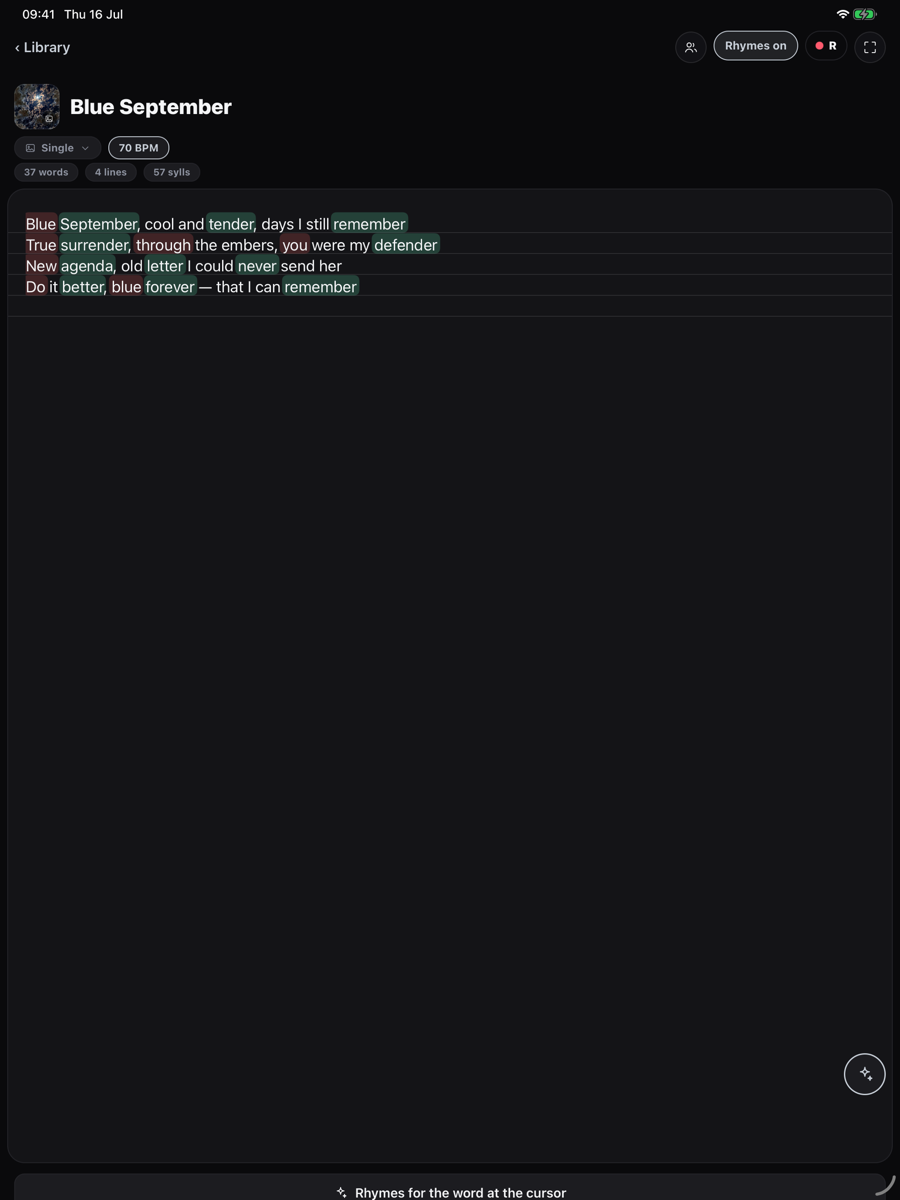
Import a lyric or audio file, bring in a Voice Memo, scan handwritten lyrics or transcribe a take. The editor highlights rhymes in your lyric and can suggest perfect, slant, multisyllable and assonance matches. The rhyme engine works on your device, with English built in and downloadable language packs.
Load a beat to see its waveform. Set two loop points to practise a verse or rewrite a line against the same few bars. Select lyrics for the Draft Demo view, record takes over the beat and assign them to timed sections.
Record and export
The multitrack workspace lets you record final takes, move clips, adjust levels and apply vocal effects. Pro includes the complete draft-to-DAW workflow, including vocal effects and demo or aligned stem exports. The free version starts with three notes. The stores show regional subscription and lifetime purchase options.
The iPhone and iPad listing requires iOS or iPadOS 16.4 or later. Check Google Play for Android compatibility. The maker says recordings stay on your device unless you share or upload them. Account sync does not back up recordings, so export important takes separately.
Alternatives to Cadence
Loopin brings a beat, lyric pad and vocal recorder together on iPhone. SongRight offers an iPhone, iPad and web workspace for lyrics and rhyme exploration.
Screenshot