
What it does
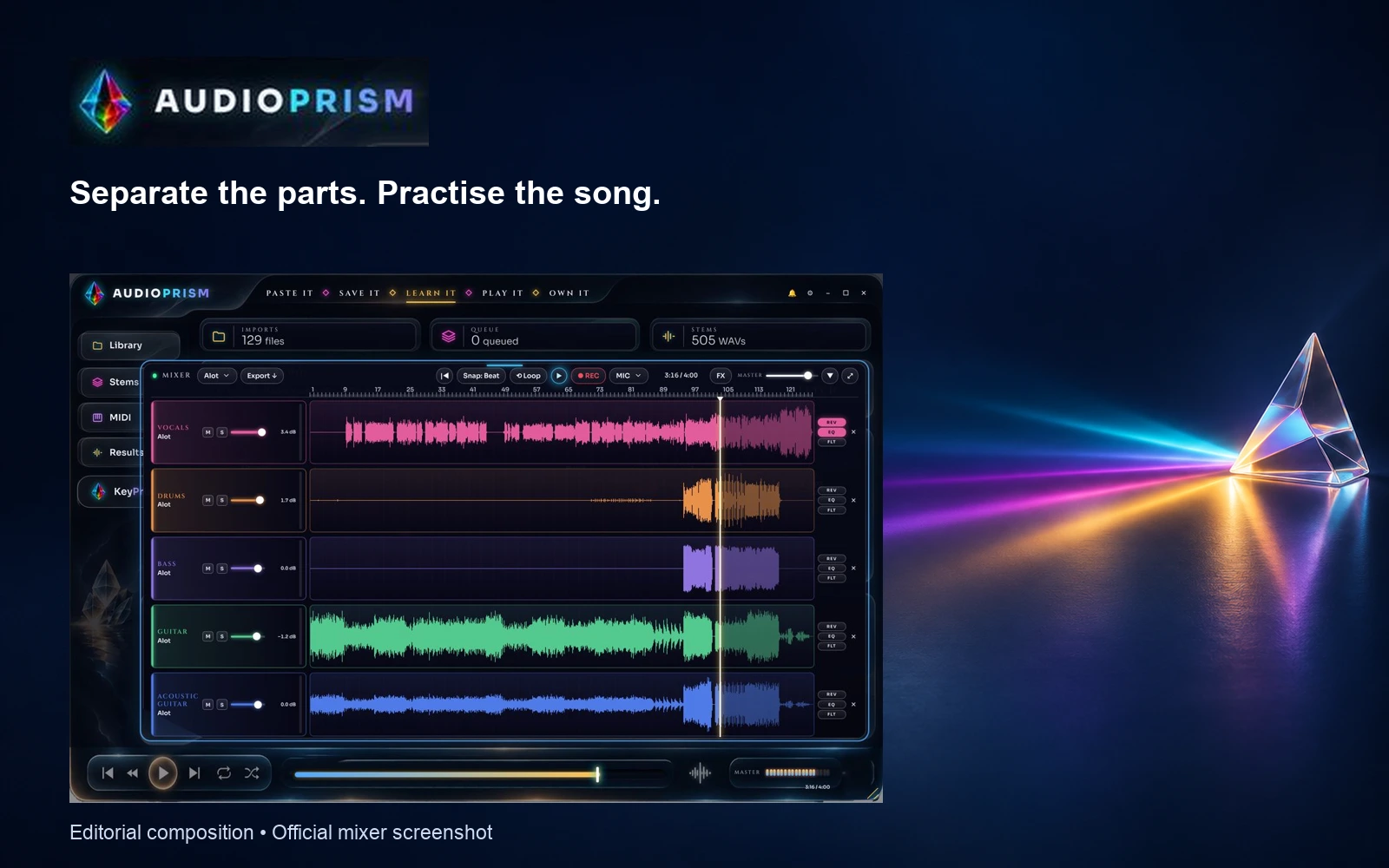
AudioPrism separates recordings into stems, exports instrument parts as MIDI and turns songs into piano practice material. The standalone Windows and Apple Silicon Mac app runs its audio processing locally, with a stem mixer and the included KeyPrism trainer connecting listening, editing and playing.
From a recording to parts you can practise
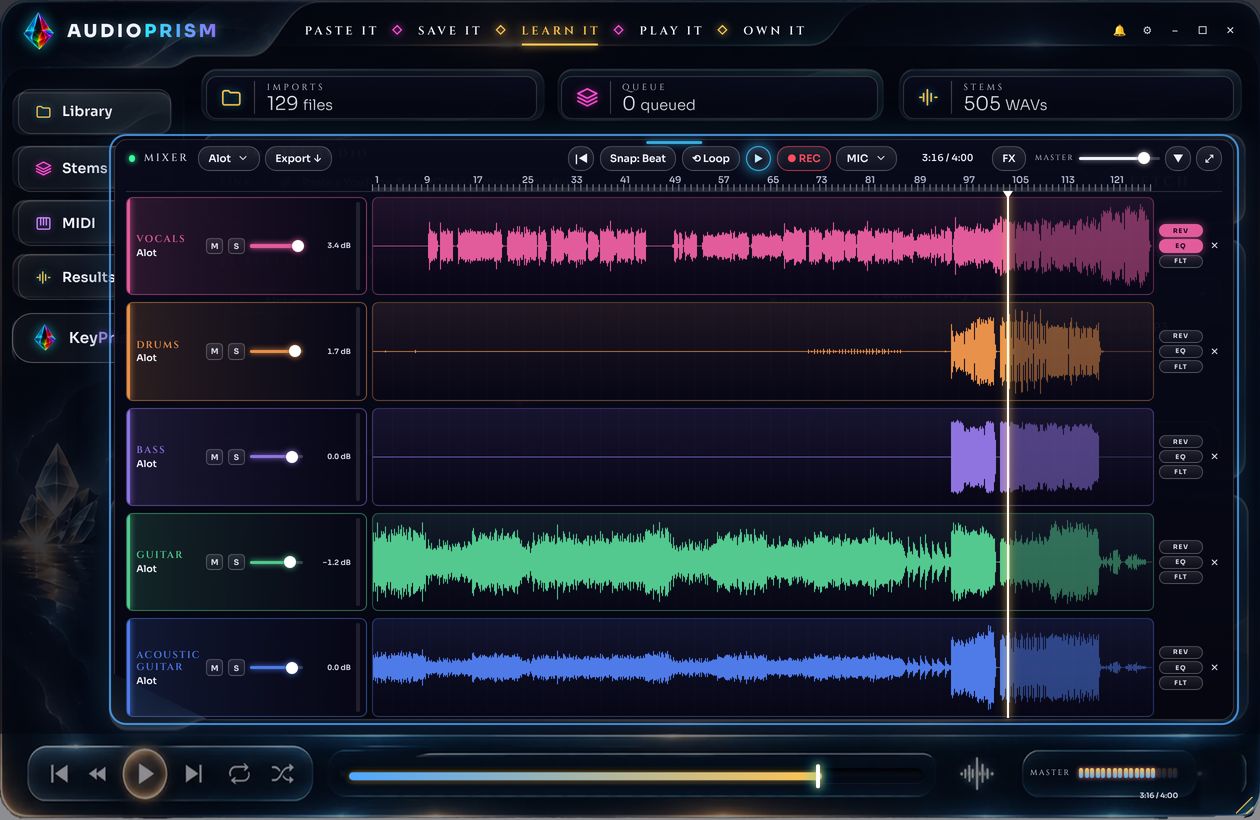
Import an audio file or fetch audio from a supported link. Choose a vocal, instrumental or multi-stem separation, then work with the parts in the mixer. KeyPrism builds a two-hand piano arrangement from the recording, with Easy, Medium and Hard versions.
- Separate vocals, drums, bass, guitar, piano and other parts from existing audio.
- Export supported instrument parts as MIDI for further work in a DAW.
- Adjust stem levels, mute or solo parts, and add effects in the built-in mixer.
- Cut, move and loop clips, record a performance over the song, and export a mixed WAV or MP3.
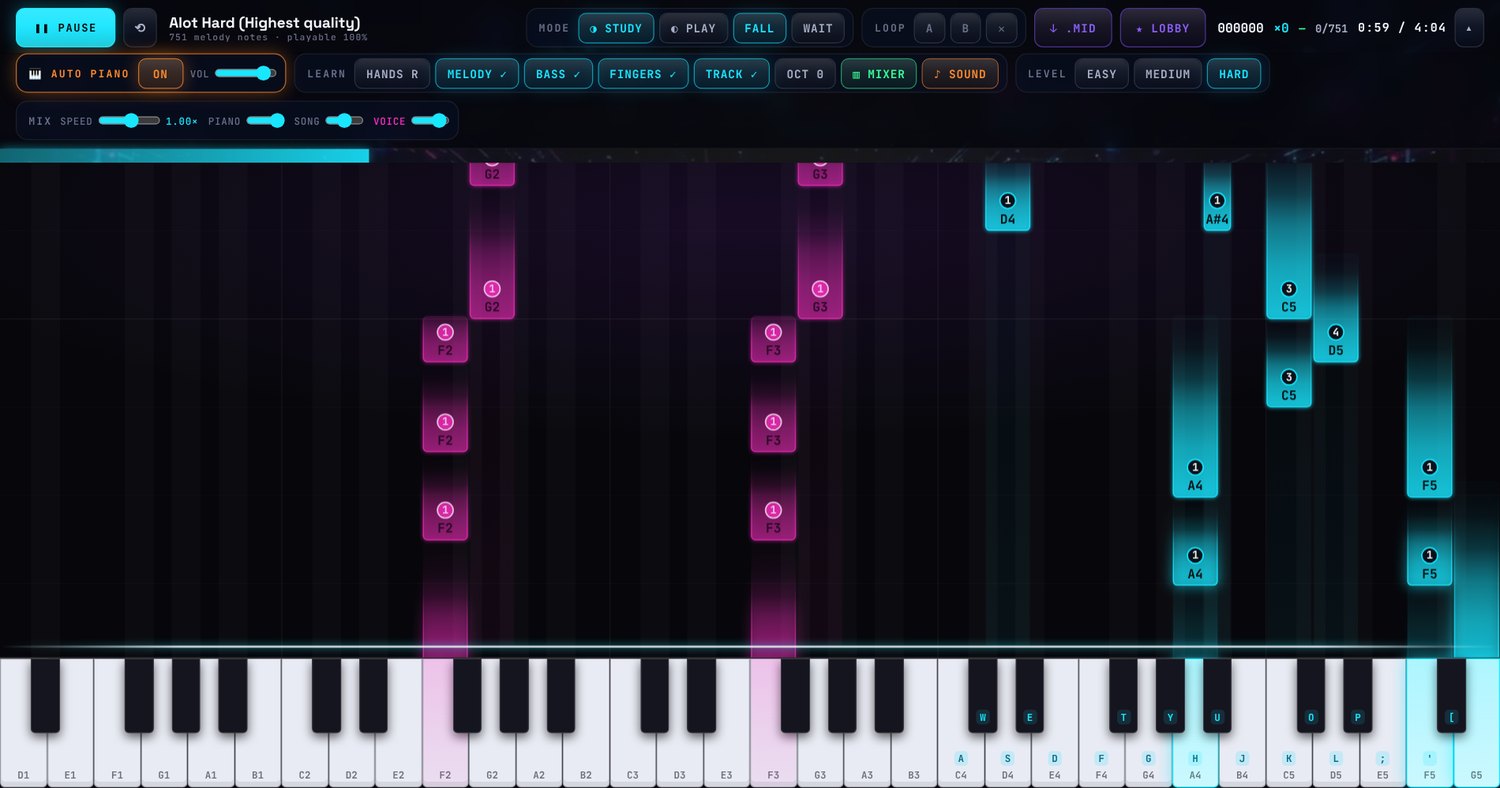
- Practise with falling notes, note names, finger numbers, slower playback and bar loops.
- Use wait mode with a MIDI controller or computer keyboard to work through the part at your own pace.
Computers and setup
AudioPrism supports Windows 10 or 11 in 64-bit form, and Apple Silicon Macs running macOS 12 or later. NVIDIA graphics acceleration is the faster Windows path. CPU processing is available, with lower performance. The highest piano engine requires stronger hardware, including 16 GB of memory on Mac.
The desktop app needs a licence key on first launch. The maker documents local processing without a cloud account or audio uploads. Fetching a song from an online service still needs an internet connection.
Purchase and practical limits
AudioPrism is a one-time purchase with updates included. The public browser player is a preloaded song demonstration, rather than the full desktop workflow for your own library.
Separation and transcription are estimates. Check the parts, arrangement and fingering against the recording before relying on them. You need permission to download, process and reuse the source audio. AudioPrism's licence does not grant rights to someone else's recordings.
Alternatives to AudioPrism
Moises on MusicianStack combines stem separation with music-practice tools. Compare it when you want a practice service across devices rather than a local desktop application.
Ultimate Vocal Remover is an external, free and open-source option for local stem separation on Windows, Mac and Linux. UVR5 is the current release. It is a closer choice when separation matters more than an integrated piano trainer.