Akai Professional
Full Description
No hardware brand has shaped beatmaking culture more directly than Akai Professional. The MPC — Music Production Center — first appeared in 1987, put velocity-sensitive pads in front of a sampler and sequencer, and defined how hip-hop, R&B, and electronic music get made. Nearly four decades on, the MPC is still the benchmark.
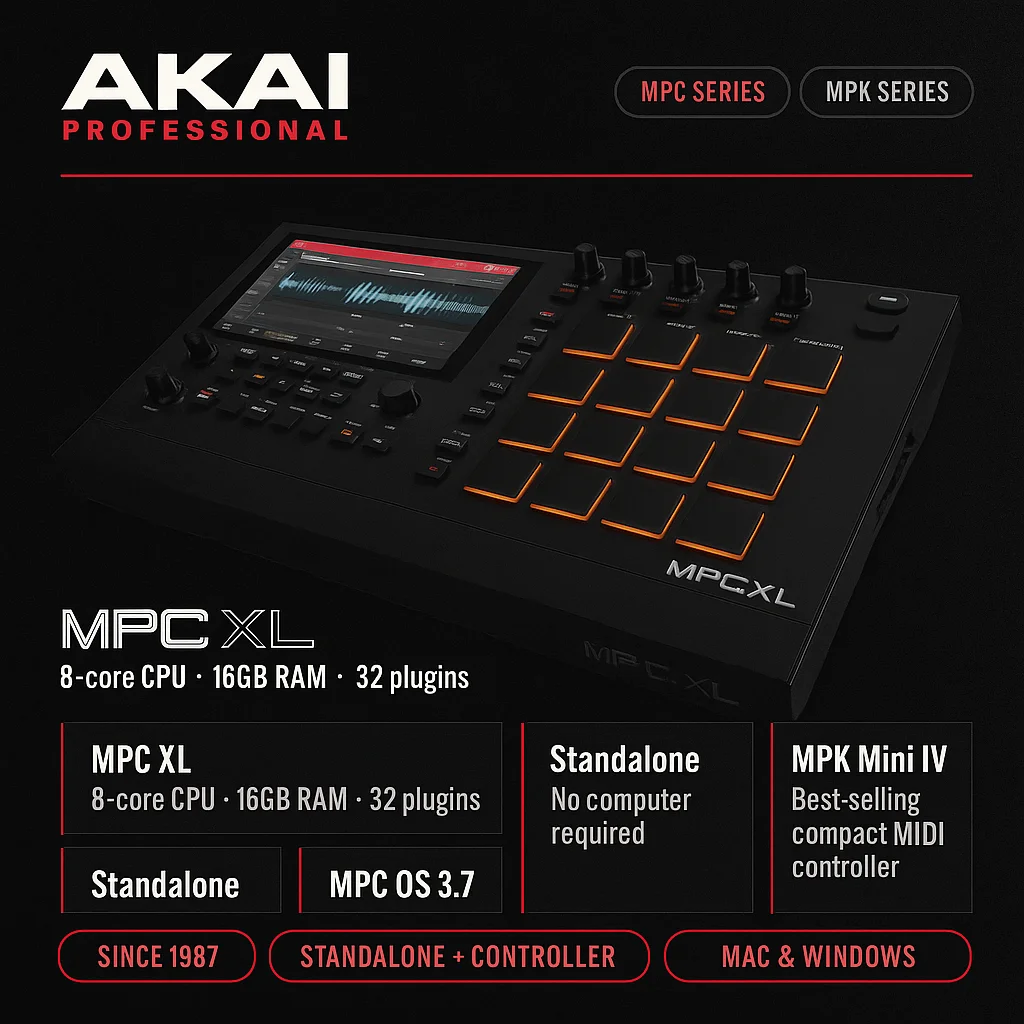
The current lineup splits into two distinct product families. The MPC series are standalone production machines: self-contained units that sample, sequence, mix, and run plugin instruments without a computer. The flagship MPC XL is the most powerful to date, built around a Gen 2 8-core processor with 16GB of RAM, a 10.1-inch HD touchscreen, 16 Q-Link knobs each with their own OLED display, and MPCe pads featuring 3D-sensing quadrants for X/Y expression, morphing, and layering. It supports up to 32 plugin instruments, 16 audio tracks, and 256 voices simultaneously. Connectivity is pro-grade: dual XLR/TRS combo inputs with phantom power, eight individual line outputs, eight stereo CV/Gate outputs providing 16 CV channels, and USB-C carrying 24 channels of audio I/O and 32 channels of MIDI.
Below the XL, the MPC Live III is the portable workhorse, with four times the processing power of the MPC One+ and the same 32-plugin ceiling. The MPC One+ adds WiFi and Bluetooth to the compact form factor but tops out at 8 plugin instruments — the RAM and CPU gap between it and the Live III is significant and worth knowing before buying. The MPC Key 37 puts the MPC engine in a keyboard-style body with 37 synth-action keys. The MPC Sample is the newest entry: a compact, portable sampler and sequencer built around the vintage MPC workflow for producers who want to capture and chop on the go.
All current MPC hardware runs MPC OS, now at version 3.7. This update adds deeper MPCe pad control, new Q-Link XY modes, advanced modulation routing, an improved Step Sequencer, and arrangement-to-clip workflow improvements. Legacy MPC hardware is still supported, though some advanced features are exclusive to newer models.
The MPK Mini line covers the other end of the range: compact 25-key MIDI controllers aimed at producers who need keyboard input without desk space. The MPK Mini IV is the fourth generation, adding real pitch and mod wheels, 8 velocity-sensitive MPC-style pads, 8 assignable knobs, and over 1,000 bundled sounds via software. It weighs under 2 lbs and covers a USB bus-power workflow without a separate power supply. The MPK Mini Plus steps up to 37 keys and adds a step sequencer and CV/Gate I/O for integrating with modular or Eurorack setups.
Akai has partnered with Native Instruments to bundle sounds and software with both lines — MPC hardware ships with NI-developed content, and the MPK series supports NKS for deep integration with the NI ecosystem.
The community criticism worth knowing: MPC OS bug reports have historically taken longer to resolve than users expect, and the MPC has a reputation for being an unreliable MIDI slave in larger setups. The MPK Mini's keys are widely described as spongy and not suited to expressive playing or piano practice — it is a production tool, not a keyboard instrument. The MPC XL's price point has divided the community, with some feeling the premium over the Live III is hard to justify unless you specifically need the expanded I/O and quad-core jump.
For beatmakers who want to work away from a screen, the MPC remains the most fully-realized standalone production environment available. For producers who need a compact controller to pair with a DAW and do not want to spend much, the MPK Mini is the most popular entry point in its price bracket for good reason.
Pros and Cons
| Akai Professional: Pros | Cons |
|---|---|
| MPC legacy: 40 years of beatmaking DNA. Iconic pad workflow. |
MPC OS bugs: Bug fixes historically slow; MIDI slave reliability issues. |
| Standalone power: MPC XL/Live III run full sessions without a computer. |
MPC XL price: Flagship is expensive; gap vs Live III is debated. |
| MPK Mini value: Best-selling budget controller; wide DAW compatibility. |
MPK Mini keys: Spongy feel, not suited for expressive playing. |
| MPC OS 3.7: Active development; legacy hardware still supported. |
One+ plugin limit: 8 plugins max vs Live III's 32 is a real ceiling. |
| CV/Gate on XL: 16 CV channels for modular integration on the flagship. |
No screen on MPK Mini: No display or standalone operation on controller range. |
Tags